

- Manage resource consumption
- Prevent violations of external API rate limits
- Ensure workflows run within defined system constraints
How Flow Control Works
When defined limits are exceeded, Flow Control automatically queues and delays step executions instead of rejecting them. This guarantees that all steps are eventually processed while staying within configured thresholds. To configure Flow Control, you define a flow control key, a unique identifier used to group related steps under the same rate and parallelism limits. The steps that has the same flow control key respect the same constraints. There are two main parameters to configure:- Rate and Period: Maximum number of steps that may start within a time window
- Parallelism: Maximum number of steps allowed to run concurrently
Example
Suppose you have the following workflow: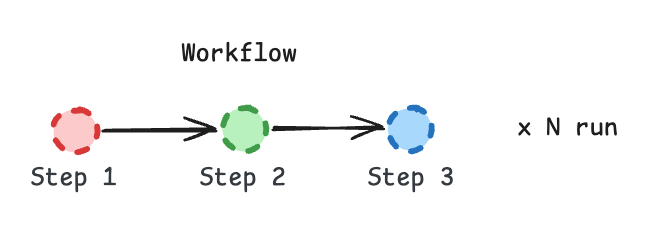
Workflow simplified by step types
- Rate: At most 3 steps per minute can start across all workflow runs.
- Parallelism: At most 7 steps can be running at the same time.
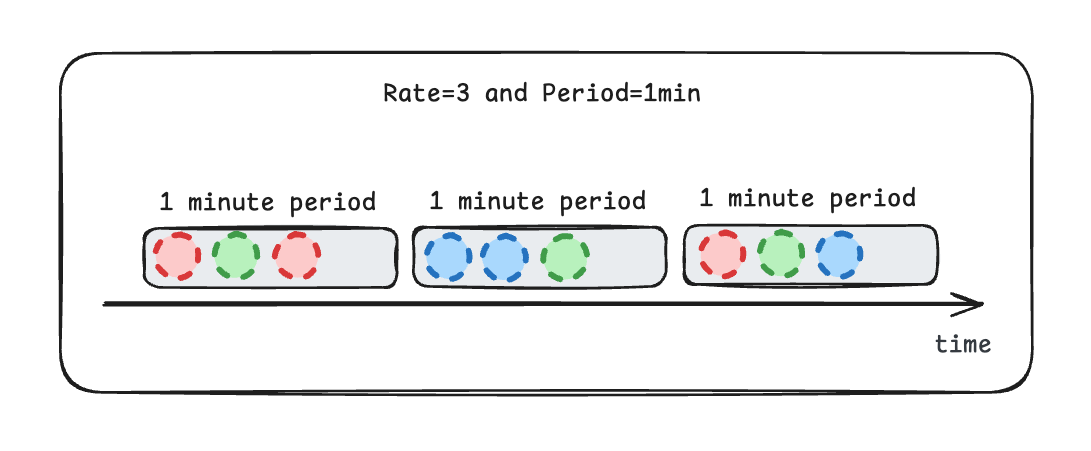
Steps are enqueued for execution
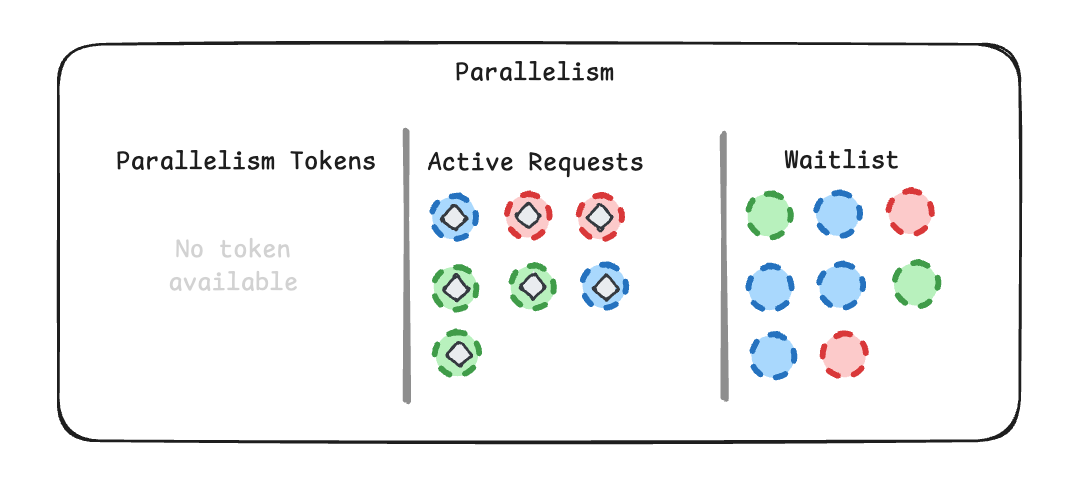
Parallelism waitlist for the flow-control
Step-level Flow Control
The flow control configuration of a run applies to all of its steps. To limit a singlecontext.run step more
strictly, pass a flow control configuration as the third argument of context.run:
charge customer step is bound by the payment-provider key. The other steps keep the configuration
the run was triggered with. Since the key is shared, at most 3 charge customer steps run at the same time
across all runs using that key, no matter how many runs are active.
Following the analogy above, this lets you enforce a parallelism limit on the “green” steps only.
The step-level configuration replaces the run’s flow control for that step as a whole: a step with its own
flow control configuration does not also count against the run’s flow control key.
When the step with flow control is reached right after a
context.run, context.sleep or
context.sleepUntil step, its configuration is attached to the request which delivers it, at no extra cost.
In other cases (for example, when it is the first step of a run or comes after a context.call),
the SDK publishes an additional hidden request to apply the configuration. This request is not shown in the
workflow logs.Steps in a parallel group carry their own configuration and never need the extra request.context.call and context.invoke accept their own flow control configuration too:
- context.call – lets you run external HTTP requests under a separate key, so you can throttle third‑party API calls independently of your workflow logic.
- context.invoke – starts a new workflow run with its own flow control configuration.
context.flowControl returns the flow control configuration applied to the current delivery.
Configuration
You can configure flow control when starting a workflow run:Configure Retry Attempt Count