

Overview
QStash is available in two regions: EU region and US region. Each region is completely independent with its own infrastructure, pricing, resources, logs, and messages.Regional URLs
- EU Region:
https://qstash-eu-central-1.upstash.io, orhttps://qstash.upstash.io - US Region:
https://qstash-us-east-1.upstash.io
QSTASH_URL is optional. When it is not set, SDKs default to the EU region
(https://qstash.upstash.io). To use the US region, set QSTASH_URL to the US
regional URL together with that region’s QSTASH_TOKEN and signing keys — you can
copy all of them from the Quickstart section of the
QStash Console.
Key Concepts
Each QStash region maintains:- Usage in each region is tracked and billed independently
- Messages, queues, schedules, URL groups and DLQ are region-specific
- Each region has its own API tokens and signing keys
Migration Between Regions
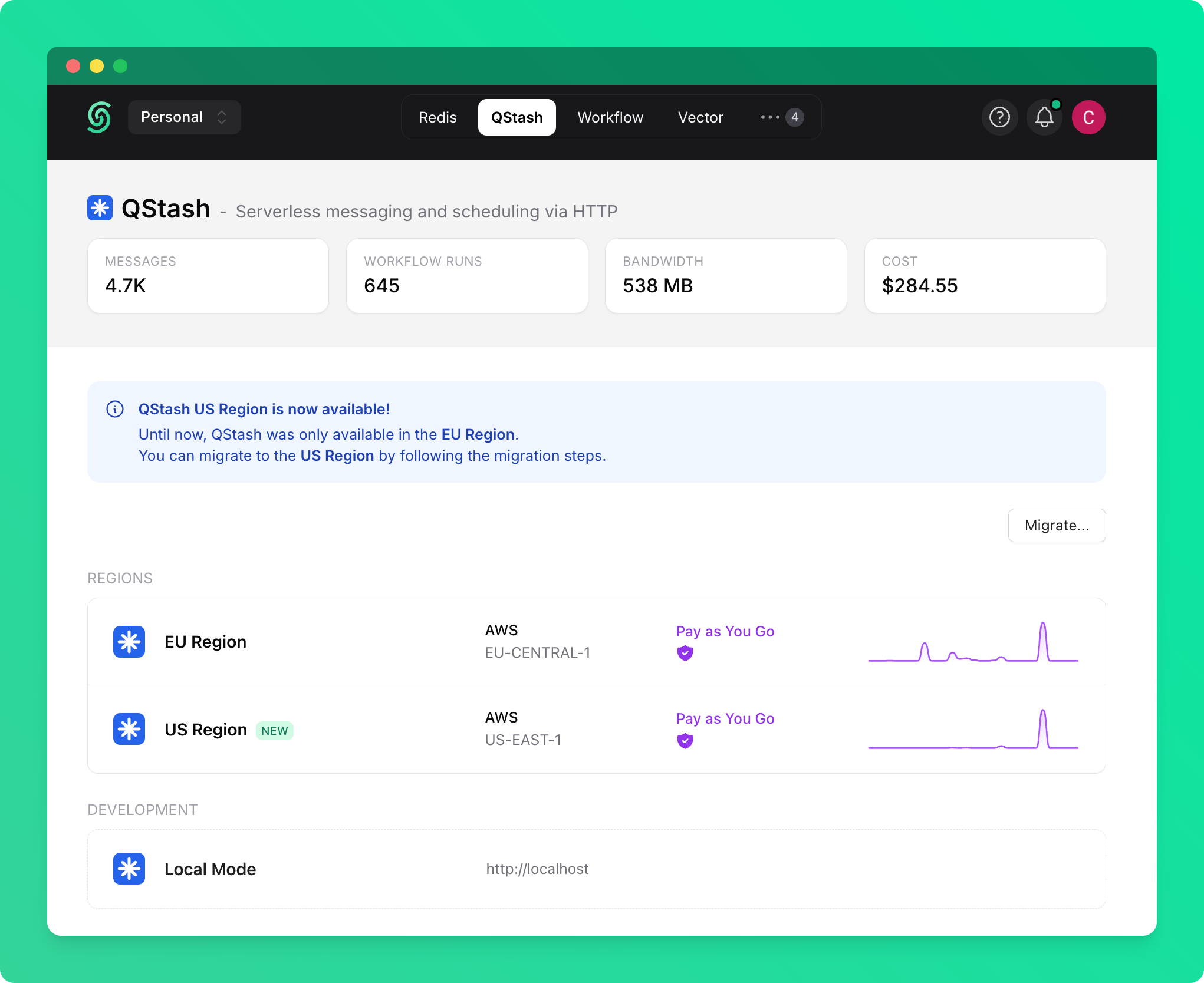
If you don’t have any active resources (active messages, schedules, url groups etc), you can simply update your environment variables with the new region to migrate. If you have active resources, you will need to migrate more gracefully, as described below. You can migrate your QStash resources from one region to another using the Upstash Console:- Navigate to the QStash tab on Upstash Console
- Click the Migrate button
- Follow the guided migration process
- Help you set up migration mode environment variables
- Copy and update your QStash resources (schedules, url groups, queues)
After migration, your app will be able to handle requests from both regions simultaneously to ensure a smooth transition.
Operating Modes
QStash SDK supports two modes of operation:Single-Region Mode (Default)
WhenQSTASH_REGION environment variable is not set, the SDK operates in single-region mode:
- Uses
QSTASH_TOKENandQSTASH_URL(or defaults to EU region) - All outgoing messages are sent through the configured region
- Incoming messages are verified using default signing keys if signing keys are defined
Migration Mode
WhenQSTASH_REGION is set to US_EAST_1 or EU_CENTRAL_1, the SDK enables migration mode:
- Uses region-specific credentials (e.g.,
US_EAST_1_QSTASH_TOKEN) - Automatically handles region detection for incoming requests
- Supports receiving messages from multiple regions simultaneously
If a message was published in one region, it will still be delivered from that region after the migration.
Verifying Incoming Requests
QStash includes anupstash-region header with every request to indicate the source region:
QSTASH_REGION is set. For this to work correctly, value of upstash-region header should be passed to the verify method:
Platform-Specific Verification
Most platform verifiers automatically handle the region header:SDK Requirements
Migration mode support requires:@upstash/qstash>= 2.9.0